
Your traffic dropped and nobody on the team can say why. Or a site migration is coming and you want to know what could break first. A technical SEO audit service checks whether search engines can crawl, render and index your pages, and ends with a fix list in priority order. Prices vary widely because sites do. Here is what should be included, what you should get at the end, and how to compare quotes.
If you only read this
- An audit covers crawling, indexing, rendering, speed, structure, structured data and internal links.
- The deliverable is a prioritized fix list with owners, not every warning a tool found.
- Price depends on site size, templates, JavaScript, international setup and whether log files are included.
- Start with Google Search Console. Pay for an audit when it can't explain the problem.
Below: the checklist, what you should receive, what free tools miss, the cost drivers and how to compare quotes. And one open question: why two audits of the same site can disagree.
What a technical SEO audit checks
A technical SEO audit answers one question: can search engines, and now AI search tools, reach, read and index the pages that matter? Good SEO audit services check the same core areas, whatever they call them:
| Area | What's checked | Usual tool |
|---|---|---|
| Crawlability | robots.txt rules, status codes, redirect chains, broken links | A site crawler, robots.txt report |
| Indexation | noindex tags, canonicals, XML sitemaps, pages Google chose not to index | Search Console Page indexing report |
| Rendering | Whether content and links appear only after JavaScript runs | URL Inspection, a rendering crawl |
| Speed | Core Web Vitals on real visits | PageSpeed Insights, Search Console |
| Mobile | Layout, tap targets, content parity with desktop | Crawler in mobile mode |
| Structure | Internal links, click depth, orphan pages, faceted URLs | A site crawler |
| Structured data | Valid markup on the right templates | Rich Results Test |
| International | hreflang pairs and language versions | A site crawler |
| Log files | What crawlers actually request, and how often | Server logs |
| AI crawler access | Whether AI search crawlers are allowed in robots.txt | robots.txt, server logs |
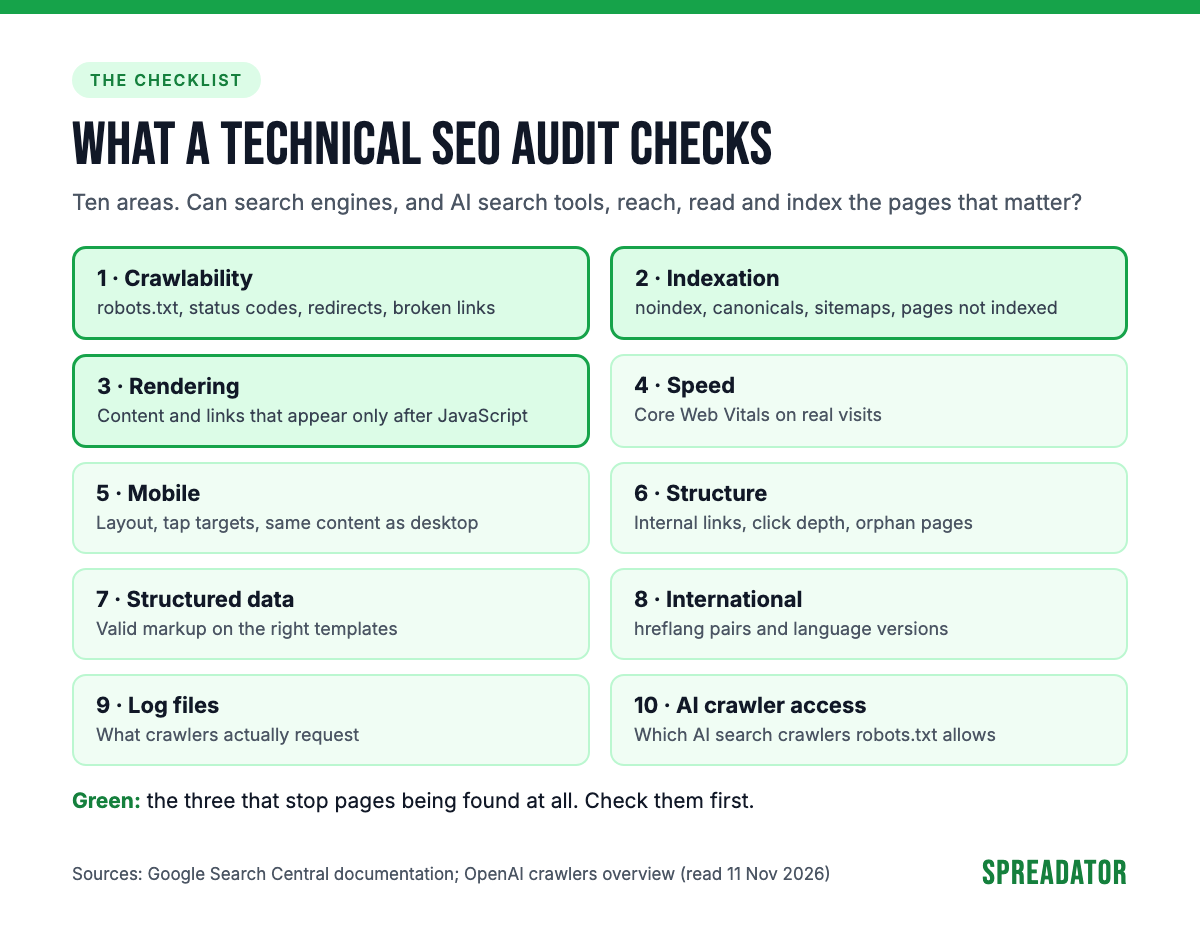
Some of these are easy to get wrong in ways that look fine. Google's own documentation says robots.txt "is not a mechanism for keeping a web page out of Google": a blocked page can still appear in results if other pages link to it, and the right tool is a noindex rule (Google Search Central, robots.txt, read 11 Nov 2026). For JavaScript sites, Google crawls, then renders the page in a headless browser, then indexes the rendered HTML (Google, JavaScript SEO basics), so content that appears only after scripts run needs checking separately.
AI crawler access is the newest line on the list. OpenAI says sites that block its search crawler, OAI-SearchBot, won't be shown in ChatGPT search answers, apart from navigational links (OpenAI, crawlers overview, read 11 Nov 2026). An audit should list which AI crawlers your robots.txt allows and whether that was a choice. Our guide to generative engine optimization explains why that matters. If you'd like us to run one, it's part of our SEO service.
What you should get at the end
The deliverable is a fix list in priority order, not a report of everything a tool flagged. A crawler export for a mid-sized site can run to hundreds of rows of warnings. Most of them don't matter. The audit's job is to say which ones do, for your templates.
A useful deliverable has:
- Each issue, with the pages or templates it affects and the evidence (a URL, a screenshot, a count).
- Priority by impact and effort: an indexation blocker on product pages comes before a missing alt text.
- An owner for each fix: developer, content team or SEO.
- How to verify the fix: what a recrawl or Search Console should show afterward.
- A recheck: a recrawl after the fixes, so you know they worked.
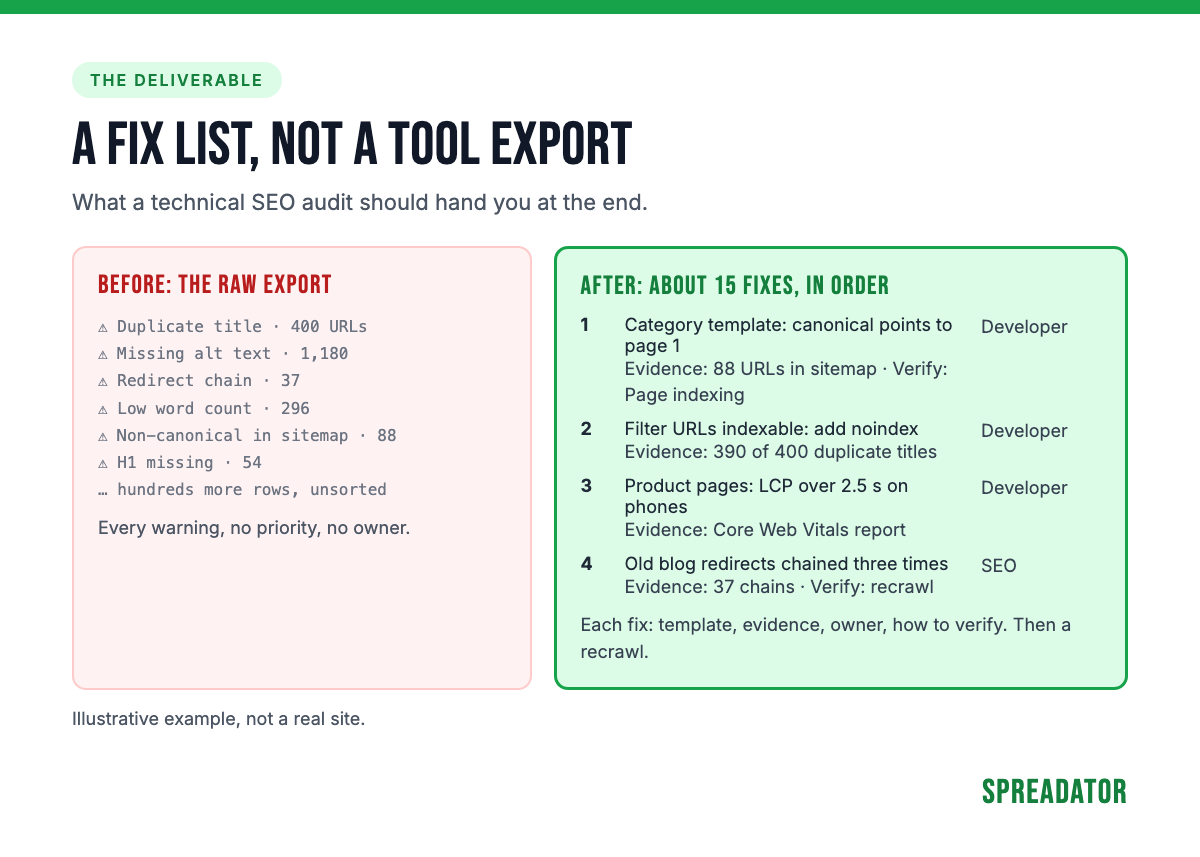
Ask to see a sample deliverable before you buy. If the sample is a tool's export with a logo on it, you can produce that yourself.
Free audit tools, and what they miss
You can do a lot before you pay anyone. Searches for a free technical SEO audit service usually lead to these, and they are a good start:
- Google Search Console: the Page indexing report shows which pages Google indexed and why others weren't; the Core Web Vitals report shows speed on real visits.
- PageSpeed Insights: speed and Core Web Vitals for one URL. Google's "good" thresholds are an LCP within 2.5 seconds, an INP below 200 milliseconds and a CLS below 0.1 (Google, Core Web Vitals, read 11 Nov 2026).
- Rich Results Test: whether your structured data is valid and eligible.
- A site crawler's free tier: most desktop crawlers crawl a limited number of URLs for free, enough for a small site.
What they miss is judgement. A tool says 400 pages have a duplicate title. It can't tell you that 390 of them are filter pages that should never be indexed, and the other ten are the problem. Free "audits" offered by agencies are often automated reports used as a sales step; read them as a list of leads, not a diagnosis.
This is also why two audits can disagree. One crawled with JavaScript rendering on, the other off. One stopped at a page limit. One counts every warning, the other only what affects indexed pages. Ask each provider how it crawled, and compare on the fixes, not the issue count.
What drives the cost of a technical SEO audit
We don't quote prices: they change, and a number without your site's size and setup tells you little. On 11 Nov 2026, 3 of the 9 results on Google's page 1 (US) for this search were lists of audit companies, and one listed prices. A quote reflects the work, and these are what drive it:
- Page count and templates: a 50-page brochure site and a 200,000-URL store are different jobs. Templates matter more than pages: one broken template can break thousands of URLs.
- JavaScript rendering: sites built on JavaScript frameworks need a rendering crawl and more manual checking.
- International setup: hreflang across several languages or countries adds a full layer of checks.
- Log file analysis: reading server logs shows what crawlers really do, but needs access and time.
- Migration support: checking redirect maps before and after a move is a separate piece of work.
- Implementation help: some audits stop at the fix list; others include working with your developers and a recheck.
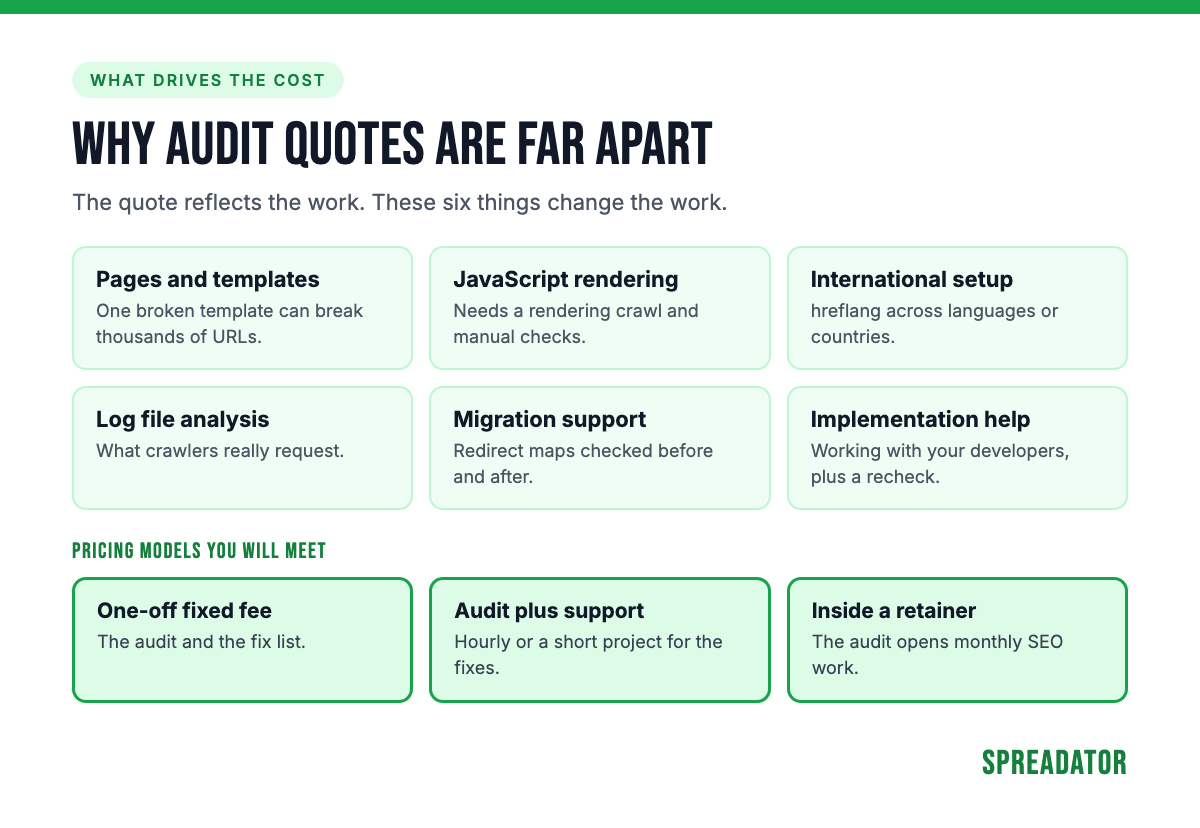
The pricing models you will meet: a one-off fixed fee for the audit; the audit plus implementation support, often billed by the hour or as a short project; or the audit included at the start of a monthly SEO retainer. Some providers charge separately for a recheck.
How to compare audit quotes
Put the quotes side by side on scope, not on price alone. Ask every provider the same five questions:
- Can I see a sample deliverable? From a similar site, with names removed.
- What exactly is in scope? The areas from the checklist above, page limits, log files, international, AI crawler access.
- Who does the work? A named person who reads the data, or a tool run with a summary.
- Is a recheck included? And when, after fixes go live.
- Are fixes in or out? If out, will they brief your developers?
A cheaper quote that skips rendering or logs can be the right buy for a small, simple site. For a large JavaScript site, it is the wrong one. When people ask for the best technical SEO audit service, this is the honest answer: the one whose scope matches your site.
After the audit: fix in order
Fix what blocks indexing first, then what affects many pages, then the rest. A typical order:
- Indexation blockers: stray noindex tags, wrong canonicals, robots.txt rules blocking key sections.
- Template issues: problems repeated across product, category or location pages.
- Speed: Core Web Vitals on the templates that bring the most traffic.
- The long tail: single broken links, missing alt text, minor redirect chains.
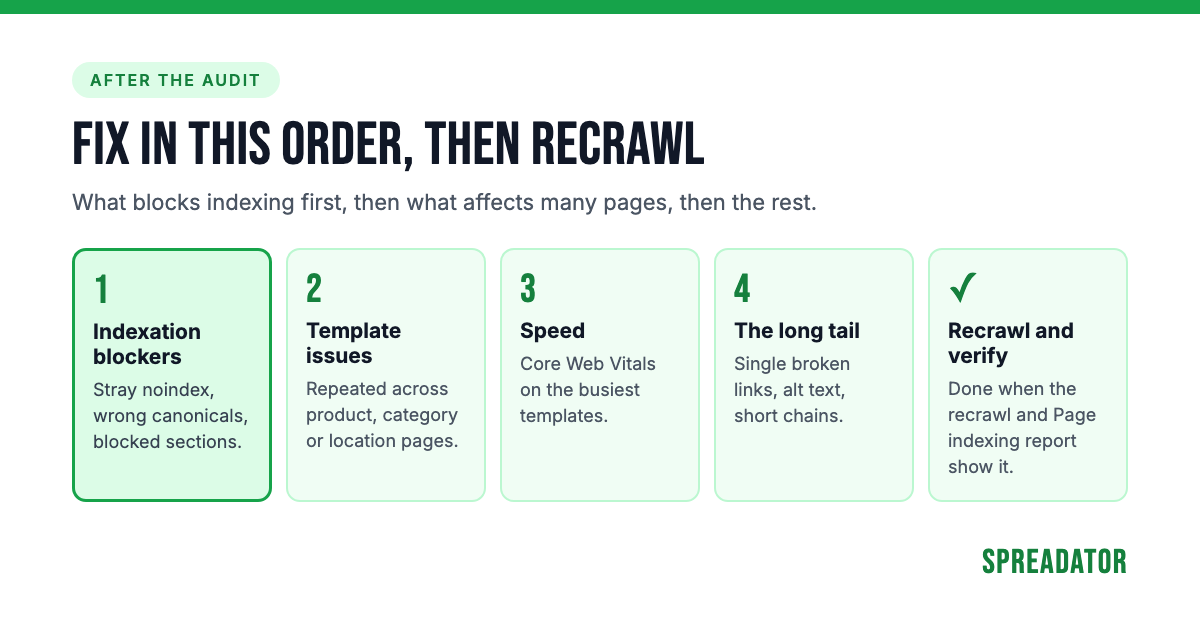
Then recrawl and check Search Console. A fix isn't done until the recrawl shows it and the Page indexing report moves.
Our take
Small sites with clean Search Console reports rarely need a paid audit. If your pages are indexed, your Core Web Vitals pass and nothing changed, spend the money on content instead.
Before a migration, a redesign, or after a drop nobody can explain, they almost always do. Those are the moments when one wrong redirect map or a template change can remove whole sections from Google. An audit then costs less than the traffic it protects.
And whoever you hire, judge them on the fix list. A short list you can act on beats a long report you file away.
FAQ
What is included in a technical SEO audit?
Crawlability, indexation, JavaScript rendering, speed and Core Web Vitals, mobile, site structure and internal links, structured data, international setup, and, in larger audits, log files and AI crawler access. The deliverable should be a prioritized fix list.
How much does a technical SEO audit cost?
It depends on the site: page count and templates, JavaScript, international setup, log analysis and whether implementation help is included. Expect a fixed fee, an audit plus support, or an audit inside a retainer. Compare quotes on scope.
Is a free technical SEO audit enough?
For a small site, free tools (Search Console, PageSpeed Insights, the Rich Results Test and a crawler's free tier) often find what matters. They don't tell you which warnings matter for your templates, which is where a paid audit earns its fee.
How often should you do a technical SEO audit?
A full audit before a migration or redesign and after an unexplained traffic drop. In between, check Search Console's indexing and Core Web Vitals reports monthly, and run a lighter crawl each quarter.
What's the best tool for a technical SEO audit?
There isn't one: a site crawler, Search Console, PageSpeed Insights and the Rich Results Test each cover a different part. The tool matters less than reading its output against your templates.
Booking a technical SEO audit service
Tell us what you want to grow, or what broke. A traffic drop, a migration coming up, or a site that never ranked: we'll audit it and give you a fix list in priority order, with owners and a recheck. See what our SEO service covers, including technical SEO audits, then contact us.
Ask us for an AI visibility check as well, if you also want to know how AI answers see your site: where your brand appears in ChatGPT, Gemini and Google's AI results for your main searches, and what to fix first. Our AI search optimization page explains that service.