
You open a list of the top AI SEO tools and it has 31 entries. Your team has time to learn maybe three. The way through is to start from the SEO job that eats your week (research, briefs, audits or reporting), try the free tool for it first, and pay only where AI saves real hours.
If you only read this
- Start from the job, not the tool: research, content, technical, automation.
- Try the free tools first: Google Search Console, PageSpeed Insights, the Rich Results Test.
- AI drafts need a human edit: Google's spam policies target scaled, low-value content.
- Tracking your brand in AI answers is a different kind of tool; see our AI visibility tools comparison.
Below: one table of jobs and tools, and one open question: where AI tools quietly make your SEO worse.
How we wrote this. Spreadator is a growth marketing agency, and we use SEO tools in our own work, so we care what they actually do. We don't sell any of the tools below and this post has no affiliate links. Every tool named here comes from Google's page 1 or its AI Overview for "top ai seo tools" in the US on 11 Nov 2026 (one list there has 31 tools), and each one was checked on its own website that day; plans change often, so we describe them in words; check each tool's own site for its current plans.
What counts as an AI SEO tool here
An AI SEO tool, in this post, is software that uses AI to do SEO work: group keywords, write briefs, score drafts, find and fix technical problems, or run repetitive tasks. That is AI SEO, one part of AI search optimization, the wider work of getting a business found and cited when people search with AI. Its other parts, generative engine optimization (GEO) and answer engine optimization (AEO), aim to get you cited or used as the answer in AI tools; our guide to GEO explains all three.
Tools that track whether AI answers mention you are a different kind. They don't do SEO work; they measure the result. We compare them in AI visibility tools: which one for which job.
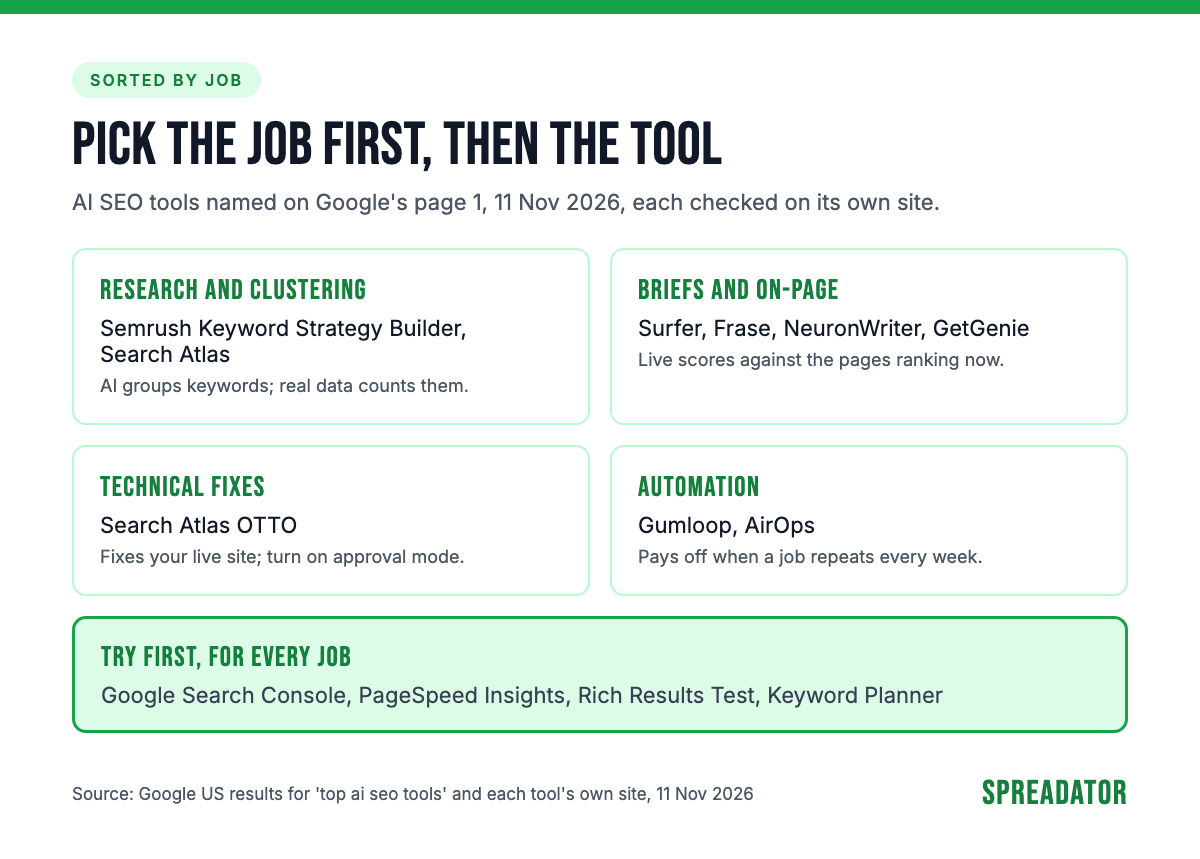
Here are the four jobs and the tools named for each on page 1:
Research and keyword clustering: AI groups, data counts
AI is good at sorting keywords; it can't tell you how often people search for them without real data. Grouping thousands of keywords into topics and labelling what each searcher wants used to take a day in a spreadsheet. A chat assistant asked for search volumes, with no data behind it, can only guess.
So use tools that put AI on top of a keyword database:
- Semrush's Keyword Strategy Builder takes your seed keywords, "groups related keywords into topics and clusters", and picks pillar pages for broad topics and subpages for specific ones. It can also draft an SEO brief from those keywords (Semrush knowledge base, 11 Nov 2026).
- Search Atlas includes keyword research in its platform, and its OTTO tool builds "AI-generated topic maps" to link related pages together (Search Atlas, 11 Nov 2026).
Check one thing before you trust a cluster: does it group keywords by the pages that rank for them, or only by how the words look? Two keywords that look alike can need different pages.
Content briefs and on-page optimization: a high score isn't a ranking
Content tools compare your draft with the pages that already rank and tell you what is missing. Four were named on page 1, and all four score your draft as you write:
- Surfer's Content Editor gives real-time guidelines, an outline builder and internal link suggestions. Its Content Score is "based on 500+ web and AI signals", by Surfer's own description.
- Frase analyzes the pages ranking for a query, suggests topics and headings, scores every page, and drafts in your brand voice. It offers a free trial with no credit card.
- NeuronWriter suggests the terms to use from a SERP analysis, scores the draft, and offers a free trial.
- GetGenie works inside WordPress, with keyword research, a SERP view of competitors' headings and word counts, and a live score; its site says its free plan has "all-feature access".
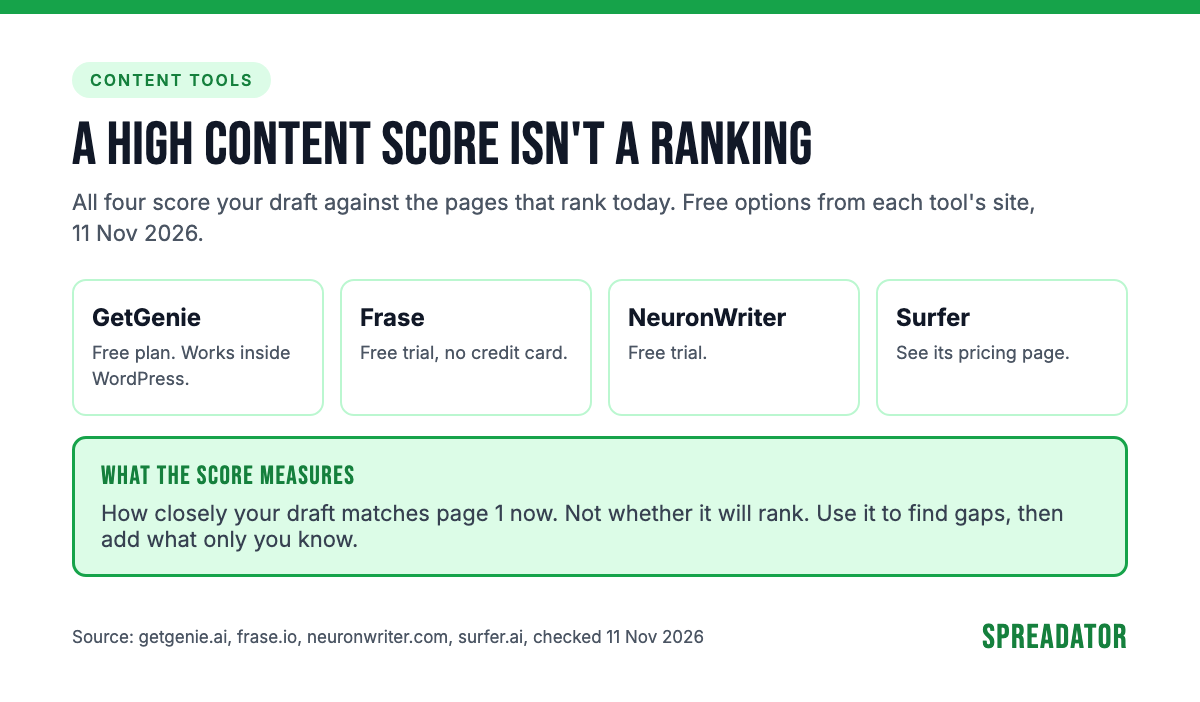
A high score means your draft looks like the pages that rank now. It doesn't mean yours will rank. Google ranks pages that are useful and original; matching the average of page 1 can't make you better than page 1. Use the score to find gaps, then add what only you know: your examples, your numbers, your view. Our AI content creation work runs this way, with a person writing the parts a tool can't.
Technical audits and fixes: review every automated change
AI tools now go past finding technical problems; some fix them on your live site. Search Atlas's OTTO "continuously diagnoses, prioritizes, and executes on-page and technical optimizations": title tags, schema, canonical tags, internal links. It connects through a JavaScript snippet in your site header, a Cloudflare Worker or a CMS connector (Search Atlas, 11 Nov 2026).
OTTO runs on autopilot by default, and that is the part to change. Its site says you can "turn on approval mode to review each change", and approve, edit or roll back what it does. Turn that on. A changed canonical tag or title on hundreds of pages is a site-wide change, and you want a person to see it first.
Then check the result with Google's own tools. Search Console shows whether Google indexes the pages, the Rich Results Test shows whether your schema is valid, and PageSpeed Insights shows whether a script slowed the page down.
Automation and workflows: SEO automation AI for repeat jobs
SEO automation tools run the same job again and again: a brief per keyword, a refresh per old post, a weekly report. They pay off when a job repeats, not when it happens once a quarter.
- Gumloop is an AI agent builder. Its site lists ready-made SEO uses, among them a keyword research agent, a content refresh agent, a content brief generator and an internal linking agent.
- AirOps runs a system to "research, publish, and refresh content", and its pricing page describes a free trial.
The risk grows with the volume. A workflow that writes one meta description wrongly writes 500 wrongly. Run any SEO automation tool on a small batch first, read the output, and keep a review step before anything publishes.
Free tools to try first
Google's own tools cover the basics of every job above. "Google Search Console is a free service offered by Google," in its own help pages, and PageSpeed Insights and the Rich Results Test open in a browser with no account. Start here before you pay for anything:
- Search Console: the queries that bring people to your site, clicks, indexing, and Core Web Vitals.
- PageSpeed Insights: lab and real-user speed data for any page, with Core Web Vitals.
- Rich Results Test: Google's "official" tool for testing structured data.
- Keyword Planner: keyword ideas and monthly search estimates. It sits inside Google Ads, and Google's help page says you need to complete your account setup, including billing details, to use it.
Most free AI tools for SEO optimization are trials or limited plans of the paid tools above. That is fine for a test: give one tool one real job for its trial, and keep it only if it saved time you can count.
Where AI tools make SEO worse
Here is the open question from the top. AI tools rarely break your SEO in one go; they wear it down with volume. Google's position is clear on both sides. In February 2023 it said its focus is "on the quality of content, rather than how content is produced", and that using AI "to generate content with the primary purpose of manipulating ranking in search results" breaks its spam policies (Google, 8 Feb 2023). In March 2024 it added a scaled content abuse policy, aimed at "many pages" made to manipulate rankings "and not helping users", however they are made (Google, 5 Mar 2024). One example in the policy: "Using generative AI tools or other similar tools to generate many pages without adding value for users."
Three failures show up again and again:
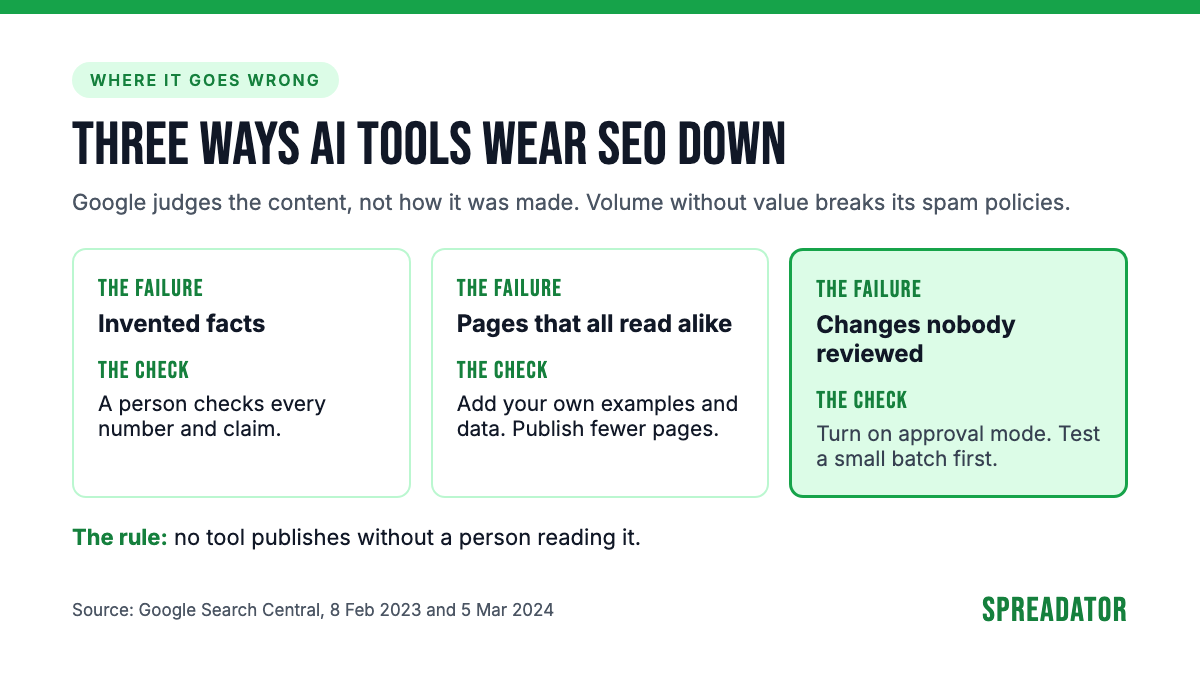
- Invented facts. AI drafts state wrong numbers with confidence. A person checks every figure and claim before it goes live.
- Pages that all read alike. Fifty AI pages built from the same top 10 say the same thing. That is the "little to no value" Google's policy describes.
- Changes nobody reviewed. Auto-published titles, links or pages scale a mistake across the site before anyone sees it.
Our take
Most small teams need one research or brief tool and Google's free tools. That covers keyword groups, briefs, technical checks and reporting for a team publishing a few posts a month.
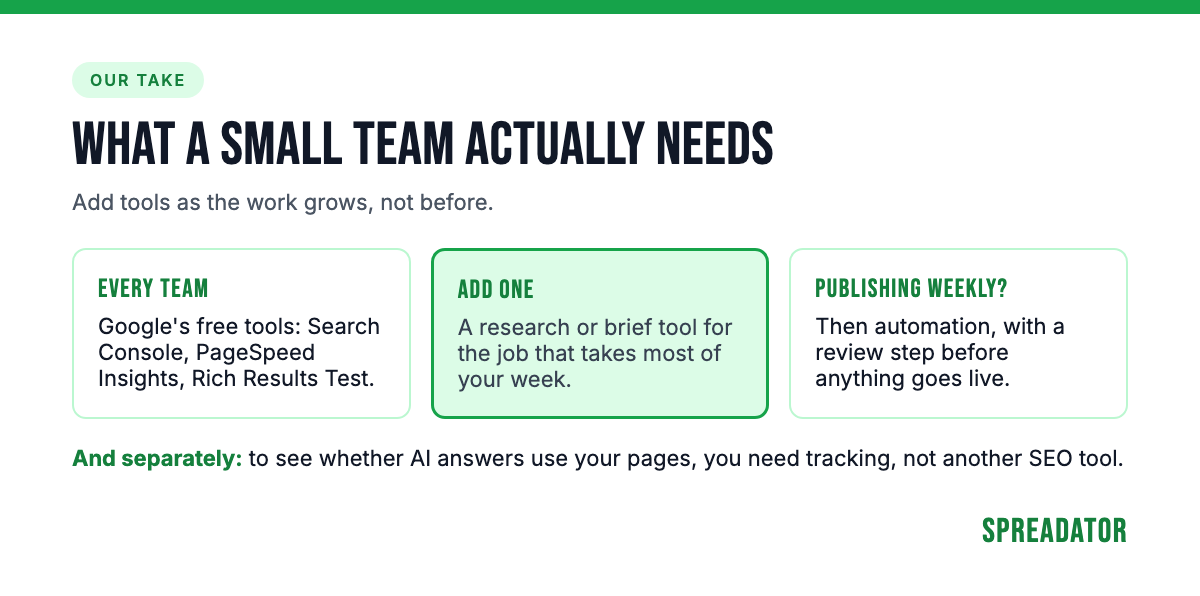
Automation pays once you publish every week. Before that, the setup takes longer than the work it saves.
Never let a tool publish without a person reading it. Not a draft, not a title change, not a schema update. The tool is fast; the person is the reason the page is worth ranking.
Choosing the top AI SEO tools for your team
Pick the job first, then the kind of tool, then one name to trial. Plans change often, so check each tool's pricing page for what the plan you'd buy includes.
| Job | Kind of tool | Examples (11 Nov 2026) | Free option | How it's sold |
|---|---|---|---|---|
| Research and clustering | Keyword database with AI grouping | Semrush Keyword Strategy Builder, Search Atlas | Keyword Planner (needs a Google Ads account) | Inside a paid SEO suite |
| Briefs and on-page | Content editor with a live score | Surfer, Frase, NeuronWriter, GetGenie | GetGenie free plan; Frase and NeuronWriter trials | Paid plans in tiers; see each pricing page |
| Technical fixes | Auto-fix tool, plus Google's checks | Search Atlas OTTO | Search Console, PageSpeed Insights, Rich Results Test | Inside a paid platform |
| Automation | Workflow or agent builder | Gumloop, AirOps | AirOps free trial | Paid plans by team size; see each pricing page |
These tools improve your pages. They don't tell you whether AI answers use them. For that, set up tracking as in our guide to AI search monitoring, or ask us for an AI visibility check: we check where your brand appears, or doesn't, in ChatGPT, Gemini, Perplexity and Google's AI results for your main searches, and tell you what to fix first. We also do the SEO work those answers rely on. Ask us for an AI visibility check.
FAQ
What are the top AI SEO tools?
It depends on the job. For keyword research and clustering, Semrush's Keyword Strategy Builder and Search Atlas; for briefs and on-page work, Surfer, Frase, NeuronWriter or GetGenie; for automated technical fixes, Search Atlas OTTO; for workflows, Gumloop or AirOps. Start with Google's free tools and add one paid tool for the job that takes most of your time.
Are there free AI SEO tools?
Yes. Google Search Console is free, PageSpeed Insights and the Rich Results Test need no account, and Keyword Planner works inside a Google Ads account. If you want the top AI SEO tools free of charge, expect trials or limited plans: GetGenie has a free plan, and Frase and NeuronWriter offer free trials.
Can AI do SEO on its own?
No. AI tools can group keywords, draft briefs and content, and apply technical fixes, but they invent facts, produce pages that read alike, and can push a mistake across a whole site. A person needs to check every draft and approve every change before it goes live.
Does Google penalize AI-written content?
Not for being AI-written. Google said in February 2023 that it focuses on the quality of content, not how it is produced. But using AI to mass-produce pages that don't help users breaks its scaled content abuse policy, added in March 2024.
What's the difference between AI SEO tools and AI visibility tools?
AI SEO tools do SEO work: research, briefs, scoring, technical fixes and automation. AI visibility tools measure the result in AI answers: whether ChatGPT, Gemini, Perplexity or Google's AI features name and cite your brand. Our AI visibility tools comparison covers the second kind.